
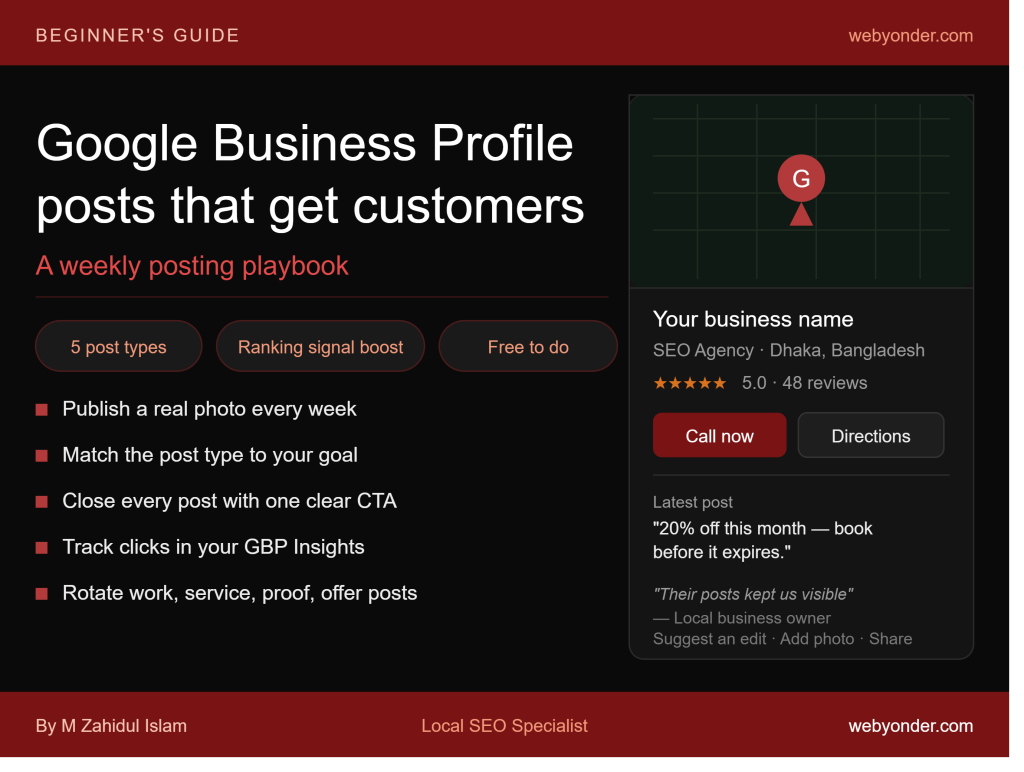
Most businesses claim their Google Business Profile, fill in the basic details, and then leave it untouched for months. Meanwhile, one underused feature inside that same profile is giving their competitors a consistent weekly edge in local search.
That feature is GBP Posts.
Google Business Profile posts let you publish updates, offers, events, and announcements that appear directly on your listing in Google Search and Google Maps — before a potential customer even visits your website. Done consistently, they signal to Google that your business is active and engaged. Done strategically, they convert searchers into callers.
This guide covers exactly how to use them.
What Are Google Business Profile Posts?
Google Business Profile posts are short content updates that appear on your GBP listing in search results and on Google Maps. They sit below your core business information — your name, rating, hours, and photos — and are visible to anyone who finds your profile.
Think of them as a micro-content feed attached directly to your most visible local search asset. Unlike a social media post that competes in an algorithm-driven feed, a GBP post appears at the exact moment a potential customer is actively looking for your type of business.
Posts support text, images, and calls to action. They can announce a new service, promote an offer, share a completed project, or answer a question your customers frequently ask. Each post stays visible for seven days for standard post types, after which it expires and is replaced by your next post.
Why GBP Posts Matter for Local Rankings
GBP posts contribute to your profile’s activity signal — one of the factors Google uses to evaluate the health and relevance of a local listing. A profile with regular, recent posts signals an actively managed business. A profile with no posts, or posts from six months ago, signals neglect.
Beyond rankings, posts do something even more valuable: they give a potential customer a reason to choose your business over a competitor whose profile looks dormant. A person comparing two plumbers on Google Maps — one with a post from three days ago showing a completed job, and one with no recent activity — will almost always contact the more active business.
The combination of ranking signal and conversion signal makes weekly posting one of the highest-return, lowest-cost activities in local SEO.
The 5 Types of Google Business Profile Posts
Google offers five distinct post types, each built for a different purpose. Understanding which type to use and when is what separates businesses that post randomly from those that post strategically.
1. What’s New Posts
This is the general-purpose post type. Use it to share updates, business news, completed projects, team updates, or anything relevant to your current customers and prospects.
Best for: Sharing work results, announcing new team members, communicating operational changes, or providing educational content relevant to your service.
Example: A cleaning company posts a before-and-after photo of a deep-cleaned office space with a brief description of the service and a “Call to book” button.
2. Offer Posts
Offer posts are specifically designed for promotions, discounts, and limited-time deals. They display with a distinct offer tag on your listing and can include a start and end date, coupon code, and a link to redeem the offer.
Best for: Seasonal promotions, new customer discounts, referral offers, or service bundles. These posts stand out visually from standard posts and attract high purchase-intent attention.
Example: A dental clinic posts “20% off teeth cleaning this month — book before June 30” with a booking link.
3. Event Posts
Event posts promote upcoming events tied to your business — workshops, open days, webinars, or community events. They require a title, start date, and end date.
Best for: Businesses hosting regular events, open houses, product launches, or community sponsorships.
Example: A fitness studio posts about an upcoming free trial class for new members with a registration link.
4. Product Posts
Product posts allow you to showcase individual products with a photo, name, description, and price. Unlike the product catalog section of your profile, these posts appear in the feed and are time-sensitive.
Best for: Retail businesses, restaurants featuring a dish of the week, or service businesses launching a new package.
5. Q&A Prompt Posts (via Updates)
While not a dedicated post type, you can use standard posts to proactively answer questions your customers frequently ask. This strategy populates your visible content with search-relevant information that builds trust before a customer even considers contacting you.
Best for: Service businesses where customers have consistent questions about pricing, process, or qualification.
How to Create a Google Business Profile Post
Creating a post takes less than five minutes once you have your content ready.
Step 1: Sign in to your Google Business Profile at business.google.com or through the Google Maps app on mobile.
Step 2: From the dashboard, select “Add update” or “Create post” depending on your interface version.
Step 3: Choose your post type — Update, Offer, or Event.
Step 4: Upload an image. Every post should include a photo. Posts with images receive significantly more engagement than text-only posts. Use a real photo — your work, your team, your location. Minimum recommended size is 720 x 540 pixels (4:3 ratio).
Step 5: Write your post text. Keep it between 100 and 300 words. Open with the most relevant detail — what is this about and why should the reader care. Close with a clear call to action.
Step 6: Add a CTA button. Google offers several options: Call now, Book, Order online, Buy, Learn more, Get offer, Sign up. Choose the action most relevant to the post.
Step 7: For Offer posts, set your start and end date, and add a redemption link or coupon code if applicable.
Step 8: Click Publish. Your post goes live immediately.
A Practical Weekly Posting Strategy
Consistency is more important than creativity. One well-written post per week, published reliably, will outperform five brilliant posts published in a single burst and then nothing for two months.
Here is a simple four-week rotation that any service business can follow:
Week 1 — Work post: Share a recently completed project, client result, or before-and-after. Include a real photo. Write two to three sentences about the challenge, the solution, and the outcome. Add a “Call now” or “Book” CTA button.
Week 2 — Service spotlight: Pick one of your services and write a focused post about it. Who is it for? What problem does it solve? What can a customer expect? Keep it informational and close with a “Learn more” button linking to your service page.
Week 3 — Social proof post: Paraphrase a recent positive review (do not copy it verbatim). Something like: “A customer in Gulshan told us our response time made the difference. Here is what we did for them.” Add a “Call now” CTA.
Week 4 — Offer or question post: Either run a limited-time promotion using an Offer post, or post an answer to the most common question you receive before a new customer decides to hire you.
Repeat the rotation monthly. Adjust based on which posts receive the most engagement — visible through your GBP Insights dashboard.
What to Write: Post Content That Actually Converts
The biggest mistake businesses make with GBP posts is writing them like social media captions — vague, brand-focused, and without a clear reason for the reader to act.
GBP posts are read by people who are actively evaluating whether to contact you. Write for that moment.
Lead with the outcome, not the process. Instead of “We offer professional carpet cleaning services using industrial equipment,” write “We removed a ten-year-old stain from a Gulshan apartment’s living room carpet last week. One visit. Fully restored.”
Be specific about location. Mention your city, neighborhood, or the areas you serve wherever it fits naturally. “Serving businesses in Dhanmondi, Mirpur, and Uttara” inside a post body adds geographic relevance to your profile content.
Use your focus keywords naturally. If your business targets “AC repair in Dhaka,” include that phrase naturally in one of your monthly posts. Google reads post content as part of your profile’s relevance signal.
Close with one clear action. Do not ask the reader to call, book, read a blog, and follow your Facebook page in the same post. Pick the one action that matters most for that post and make it the only CTA.
Measuring Whether Your Posts Are Working
Inside your GBP dashboard, the Insights section shows how each post has performed. Review these monthly:
Post views: How many people saw the post on your listing. This measures reach.
Post clicks: How many people clicked the CTA button. This measures conversion intent.
Direction requests and phone calls after a post goes live: Compare these to weeks when you did not post. Consistent posting should correlate with consistent action volume.
If a particular post type — say, before-and-after project photos — consistently drives more CTA clicks than others, shift your rotation to include more of that type. Let the data shape the strategy rather than guessing.
Common GBP Posting Mistakes to Avoid
Posting once and stopping. The seven-day expiry on standard posts means a business that posts once a month has no visible post content for three weeks of every month. Post weekly.
Using stock images. Google and your customers both respond to real photos. Stock images reduce engagement and signal a lack of genuine activity.
Writing posts with no CTA. Every post should tell the reader what to do next. No CTA means wasted visibility.
Keyword stuffing in posts. Writing “best SEO agency in Dhaka best SEO services Dhaka local SEO Dhaka” inside a post body reads as spam to both Google and humans. Use keywords naturally, once per post.
Ignoring post performance data. If you never check what is working, you will keep posting the same content regardless of whether it drives any action.
Frequently Asked Questions
How often should I post on Google Business Profile?
A minimum of once per week. Weekly posting maintains a consistent activity signal and ensures your listing always has visible, recent content when a potential customer views it.
Do GBP posts help with local SEO rankings?
Yes, indirectly. Consistent posting contributes to your profile’s activity and engagement signals, which are part of Google’s local ranking evaluation. Posts also contain text that Google reads as part of your profile’s relevance data.
How long do GBP posts stay visible?
Standard “What’s New” and “Update” posts expire after seven days. Offer posts remain visible until their end date. Event posts remain visible until the event ends.
Can I schedule GBP posts in advance?
Google’s native dashboard does not currently support post scheduling. Third-party tools like Hootsuite, BrightLocal, or LocalViking allow you to schedule GBP posts in advance — useful for businesses that want to batch-create content weekly or monthly.
What image size should I use for GBP posts? Google recommends a minimum of 720 x 540 pixels at a 4:3 ratio for post images. Use JPEG or PNG format and keep file size under 5MB for fastest loading.
Posts Are the Most Visible Thing You Are Not Doing
Every week that passes without a GBP post is a week your listing looks inactive to Google and to every potential customer who finds it. Your competitors are not doing this well either — which is exactly why doing it consistently puts you ahead of most of them without any additional cost.
One real photo, two honest sentences, and a clear call to action. Once a week. That is the entire strategy.
Written by M Zahidul Islam — Local SEO Specialist and AI Visibility Expert. Helping service businesses and multi-location brands build resilient local search ecosystems. Visit webyonder.com/local-seo/ to learn how we help businesses rank and convert in local search.