
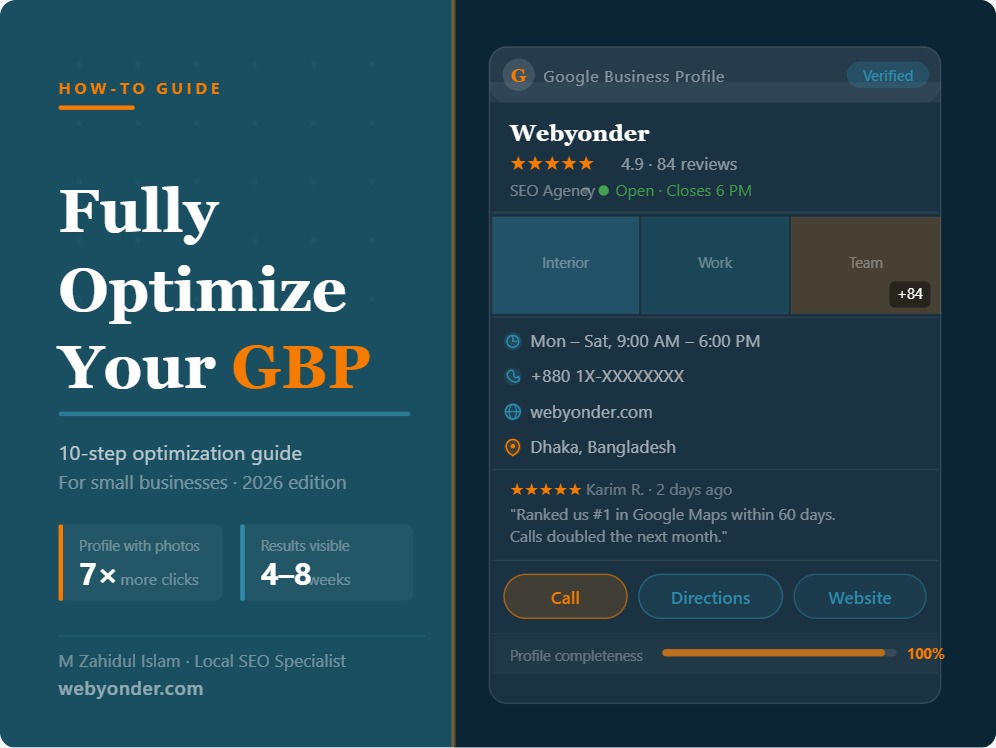
Your Google Business Profile is the most valuable piece of digital real estate a local business owns. It appears before your website in local search results. It shows your reviews, photos, hours, services, and location before a customer ever visits your domain. And it is entirely free.
Yet most businesses treat it as a form they filled out once and forgot. That gap — between a claimed profile and a fully optimized one — is exactly where local rankings are won and lost.
This guide walks through every component of a high-performing Google Business Profile and tells you exactly what to do at each step.
Why GBP Optimization Still Matters in 2026
Google’s local search algorithm evaluates three factors when deciding which businesses appear in the Local Pack: relevance, distance, and prominence. Your Google Business Profile is the primary source of data for all three.
A complete, actively managed profile signals relevance — Google can clearly match it to what the searcher is looking for. Strong review volume and consistent information build prominence. And while you cannot move your business location, a well-optimized profile extends your effective visibility radius beyond your immediate block.
Businesses with complete GBP profiles receive an average of seven times more clicks than those with incomplete profiles. They also receive significantly more direction requests, phone calls, and website visits directly from the profile — without the customer ever needing to visit the website.
The optimization work is not complex. But it is specific, and most businesses skip at least half of it.
Step 1: Claim and Verify Your Profile
Before any optimization is possible, you need verified ownership. Go to google.com/business and search for your business. If it already exists — which it often does, auto-generated by Google from public data — claim it. If it does not exist, create it from scratch.
Verification options vary by business type and location. Common methods include:
- Postcard verification: Google mails a postcard with a verification code to your business address. Takes 3 to 7 days.
- Phone or SMS: An automated call or text delivers your code immediately.
- Video verification: Google may request a short video walkthrough of your business location.
- Instant verification: Available to some businesses already verified in Google Search Console.
Until verification is complete, your listing has limited visibility and you cannot respond to reviews. Treat verification as day one — nothing else matters until it is done.
Step 2: Choose the Right Business Categories
Category selection is the most impactful single field in your entire profile. Google uses your primary category to determine which searches your business is eligible to appear for. Get it wrong and you are invisible for your most important searches. Get it right and you immediately qualify for a wider set of high-intent local queries.
Primary category should reflect the core nature of your business — what you fundamentally are, not what you also offer. A dental clinic’s primary category is “Dentist.” A digital marketing agency’s primary category is “Marketing Agency.” A restaurant serving both Thai and Chinese food picks its dominant cuisine.
Do not add keywords or location to your category. Google’s category list is fixed — choose from what exists, not what sounds good.
Secondary categories extend your reach. Add every category that genuinely applies to services your business offers. A dental clinic can add “Cosmetic Dentist,” “Teeth Whitening Service,” and “Orthodontist” if those services are real and current. Secondary categories expand the range of searches you qualify for without diluting your primary signal.
Review your categories every six months. Google adds new categories regularly and your primary may have been superseded by a more precise option.
Step 3: Write a Description That Works
Most GBP descriptions are wasted space. They contain generic statements about commitment to quality, years of experience, and customer satisfaction — the kind of copy that could apply to any business in any city in any industry.
A description that works is specific. It tells Google — and the reader — what you do, where you do it, and what makes your service worth choosing over the alternatives down the street.
Structure your description like this:
Open with your primary service and your location. “Webyonder is a Dhaka-based SEO and web design agency helping service businesses and e-commerce stores rank higher on Google and convert more visitors into customers.”
Follow with your core service categories. Name the specific services. “We specialize in Local SEO, Technical SEO, E-commerce SEO, and WordPress web design for small businesses across Bangladesh.”
Close with a differentiator or your working approach. Something that is actually true and specific to you.
Keep it under 750 characters. Include your city and primary keywords naturally — do not stuff. Do not include URLs, phone numbers, or promotional language like “best” or “number one.” Google may remove those elements and flag the profile.
Step 4: Add Complete and Accurate Business Information
Every field in your profile affects how Google understands and ranks your business. Work through each one without leaving anything blank.
Business name: Use your real business name exactly as it appears on your signage, website, and legal documents. Adding keywords to your business name is against Google’s guidelines and can result in suspension. “Webyonder” not “Webyonder — Best SEO Agency in Dhaka.”
Address or service area: If customers come to your location, enter your full address. If you travel to customers, set a service area instead and hide your address. If both apply, set both.
Phone number: Use a local number, not a toll-free number. Local phone numbers reinforce geographic relevance.
Website: Link to your homepage, or to a specific location page if you have one for that area. Ensure the URL you enter is live and loads correctly.
Hours: Fill in every day of the week. Add special hours for public holidays — Google prompts users when your holiday hours differ from your regular schedule, and a prompt showing “closed today” from an outdated profile costs you customers.
Attributes: These are the small detail fields that vary by business category — wheelchair accessibility, outdoor seating, women-led business, accepts reservations, and dozens more depending on your type. Attributes appear in your profile and in Google Maps filters. Complete every one that applies.
Step 5: Build Out Your Services and Products
The services and products sections give Google granular data about exactly what your business offers. This directly influences which searches you appear for.
For each service, add:
- A precise service name matching how customers search for it
- A description of 150 to 300 words explaining what the service involves and who it is for
- A price or price range if applicable
Do not use the service description as another opportunity for keyword stuffing. Write it the way you would explain the service to a potential customer who is evaluating whether to call you. Clarity converts. Clarity also helps Google match your profile to the right queries.
If you offer products rather than (or in addition to) services, the product catalog section operates the same way. Add photos, descriptions, and prices for each item.
Step 6: Upload Photos Strategically
Photos are the first visual impression your profile makes. They build trust, demonstrate the reality of your business, and directly influence how many people engage with your listing.
Categories of photos to upload:
- Exterior: Your building, signage, and entrance from the street. Customers use these to find you.
- Interior: The space your customers experience. This is especially important for restaurants, clinics, salons, and retail.
- Team: Real photos of the people doing the work. Avoid stock images — they signal inauthenticity immediately.
- Work and results: Before-and-after photos, completed projects, delivered results. This is your portfolio inside your profile.
- Products: For retail or product-based businesses, clean product photography against a neutral background.
Upload at least 20 photos when you launch or relaunch your optimization effort. Add new photos monthly. Profiles with 100 or more photos consistently outperform those with fewer than 10 across all engagement metrics.
One important rule: Geotag your photos before uploading where possible. Photos taken at your business location carry embedded GPS data that reinforces your address signal to Google.
Step 7: Generate and Manage Reviews Actively
Reviews are both a ranking signal and a conversion signal. They affect where you appear in the Local Pack and whether a customer who finds you decides to contact you.
Generating reviews at scale requires a system, not a campaign:
After every completed job or positive customer interaction, send a direct review request. Create a short link to your Google review form using Google’s “Share review form” feature inside your GBP dashboard. Send it via WhatsApp, SMS, or email. One message, one link, one ask.
The timing matters. Requests sent within 24 to 48 hours of a positive interaction convert at significantly higher rates than follow-ups sent a week later.
On responding to reviews:
Respond to every review — five-star and one-star alike. For positive reviews, personalize your response. Reference something specific about the customer’s experience. Do not copy-paste the same three sentences across all your responses.
For negative reviews, respond calmly and factually. Acknowledge the concern, avoid defensiveness, and offer a direct path to resolution offline. Never argue publicly. Future customers reading your responses will evaluate your professionalism as much as the rating itself.
On review keywords:
When customers mention specific services or locations in their reviews — “great AC repair service in Uttara” or “best dentist in Gulshan” — those keywords inside reviews contribute to your relevance signal for those searches. You cannot ask customers to use specific keywords, but you can ensure your review request is sent after the most relevant service interactions.
Step 8: Post to Your Profile Weekly
Google posts function like a social media feed for your business profile. They appear directly on your listing in search results and on Google Maps, and they keep your profile looking active and current.
Post a minimum of once per week. Content that performs well:
- Completed project photos with a brief description of the work
- Seasonal promotions or limited-time service offers
- New service announcements
- Answers to common questions your customers ask before hiring you
- Community involvement or local news relevant to your business
Every post should include an image and a call to action — “Call now,” “Book online,” or “Get a free quote.” Posts expire after seven days for standard post types, which makes weekly posting necessary to maintain a consistent fresh signal.
Step 9: Use the Q&A Section Proactively
The Q&A section of your GBP is publicly visible and anyone can post questions — or answers. If you do not manage this section, incorrect answers from strangers sit on your profile indefinitely.
Seed your Q&A section yourself. Write the ten most common questions your customers ask before hiring you and answer each one clearly. This gives Google additional keyword-rich, structured content associated with your profile, and it serves customers who are evaluating whether to contact you.
Monitor the section monthly. Flag and request removal of any answers that are inaccurate. Respond to any new questions customers post within 48 hours.
Step 10: Monitor Your Profile Insights Monthly
Inside your GBP dashboard, the Insights section shows you how customers are finding and interacting with your profile. Review these metrics every 30 days:
Search queries: The actual keywords people used to find your profile. This tells you which searches you are visible for and reveals opportunities to optimize further.
Discovery vs. direct search: Discovery means someone searched a category or service and found you. Direct means they searched your name specifically. A growing discovery number confirms your optimization is working.
Actions taken: Direction requests, website clicks, and phone calls. These are direct conversion signals. Month-over-month growth here correlates directly with real business impact.
Photo views: How many times your photos have been seen versus a benchmark of similar businesses. If competitors’ photos are being viewed significantly more, your photo strategy needs updating.
Frequently Asked Questions
How long does it take to see results after optimizing a Google Business Profile?
Most businesses see measurable ranking improvement within 4 to 8 weeks of completing a full optimization — categories, description, services, photos, and initial review volume. More competitive markets take 8 to 16 weeks for stable Local Pack positioning.
Can I add keywords to my GBP business name to rank better?
No. Adding keywords to your business name violates Google’s guidelines and can result in your listing being suspended or having its name edited by Google. Your actual business name is the only acceptable entry.
How many photos should my Google Business Profile have?
Start with 20 and work toward 100 over your first six months. Profiles with 100 or more photos consistently outperform competitors with fewer than 20 across all engagement and ranking metrics.
Do Google posts help local rankings?
Posts are a freshness signal and an engagement signal. They do not directly move your Local Pack ranking the way categories, reviews, and NAP consistency do. However, consistent posting contributes to overall profile health and has been correlated with ranking improvements in competitive markets.
What happens if someone posts a fake negative review?
Flag the review inside your GBP dashboard using the “Report a review” option. Provide clear documentation of why the review is fraudulent. While Google’s removal process can be slow, responding professionally to the review in the meantime shows future customers that you take feedback seriously.
The Profile Is the Foundation
Everything else in your local SEO strategy — citations, location pages, local link building — amplifies what your Google Business Profile already communicates. A weak profile limits what everything else can achieve. A strong profile turns every additional optimization into a compounding advantage.
Spend the time to build it properly. Then maintain it consistently. The businesses that dominate their local market in 2026 are the ones treating their GBP as an active business asset, not a static directory listing.
Written by M Zahidul Islam — Local SEO Specialist & AI Visibility Expert. Helping service businesses and multi-location brands build resilient local search ecosystems across Bangladesh and beyond. Visit www.webyonder.com/local-seo/ to explore how we approach local SEO for serious businesses.